Build your own cloud brand
Sell virtual machines under your brand. Manage customers, pricing, payments and your website in one console — use ONIE infrastructure or connect your own Apache CloudStack.
Configure your brand, retail pricing, domains and payments around your storefront.
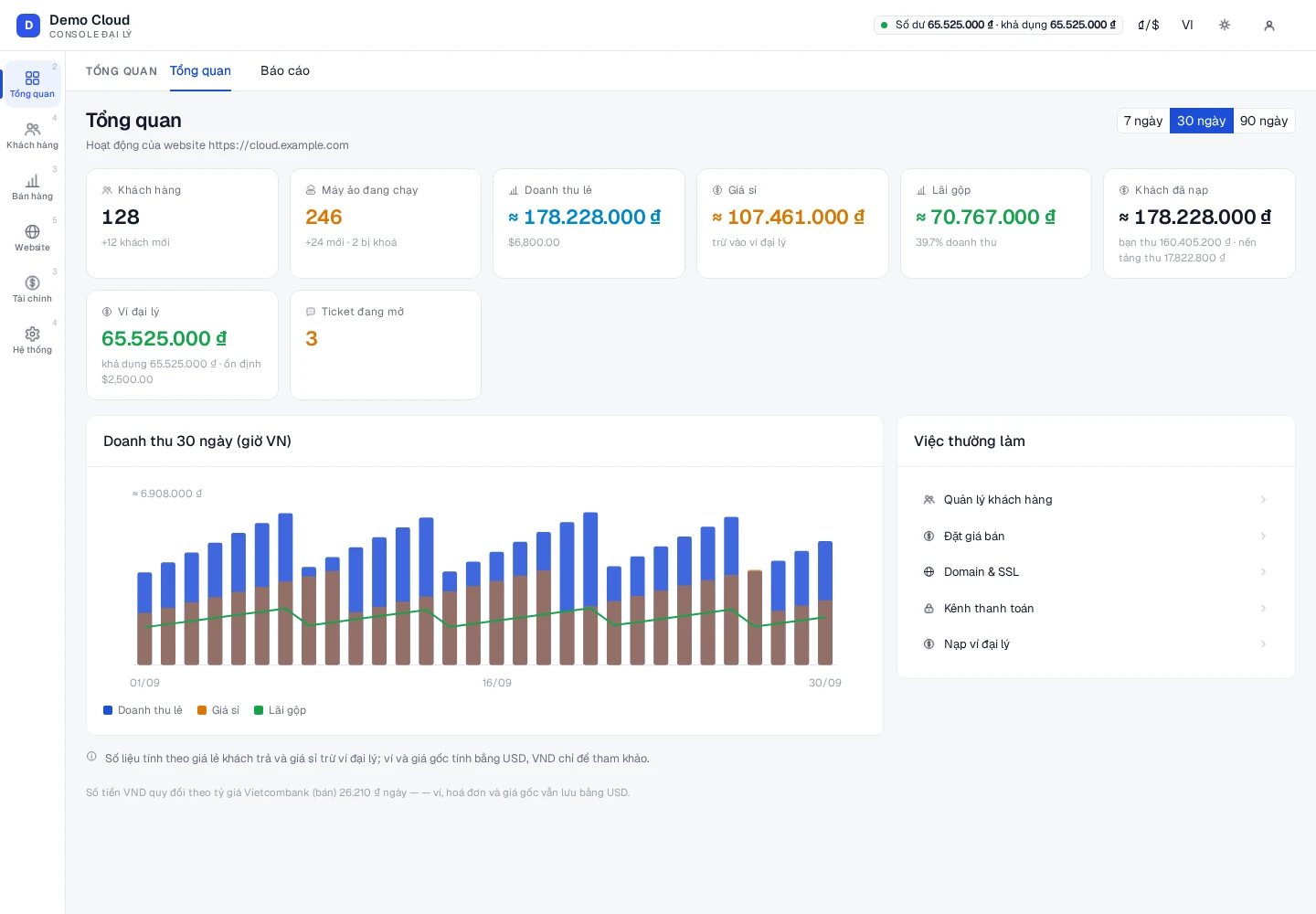
One console for your cloud business
The actual Partner Console interface with demonstration data. Customers, your website and finances in one place.
Partner interface demonstration
Tools to run your partner business
Customers & virtual machines
Manage customers, quotas, virtual machines, Auto Scaling and support tickets for each customer.
Pricing your way
Set prices by plan and billing cycle, configure your margin, custom plans and catalog ordering.
A website under your own brand
Configure your logo, colors, homepage, domain, outgoing email and announcements.
Payments & finances
Track orders, payments, invoices, partner wallet, payment gateways and top-up vouchers.
Reporting & administration
Review revenue, reports, audit logs, API keys, accounts and login settings.
Your infrastructure, your store
For partners running Apache CloudStack: build VM plans from your own zones, networks, offerings and templates.
Bring your Apache CloudStack and sell your own capacity
Already running Apache CloudStack? Bring your infrastructure into the partner model, build your VM catalog and sell under your own brand.
Features on your own infrastructure depend on your Apache CloudStack configuration.
Connect CloudStack
Prepare the API endpoint and access keys for your Apache CloudStack.
Choose what to sell
Choose the zones, networks, service offerings and templates for your storefront.
Set prices & launch
Build retail plans, hourly prices and service policies under your own brand.
Your path to a cloud storefront
Start with your brand and product catalog. Complete domains, email and payment channels as your storefront grows.
- 1Create an account
- 2Set your brand
- 3Choose a domain
- 4Configure pricing & payments
- 5Choose infrastructure
- 6Open your console
Ready to launch your cloud store?
Build your own brand and manage your business in Partner Console.